


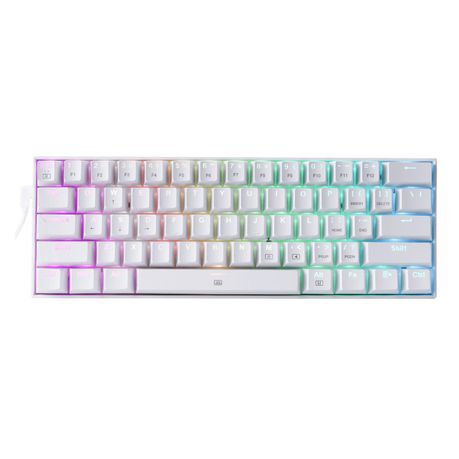
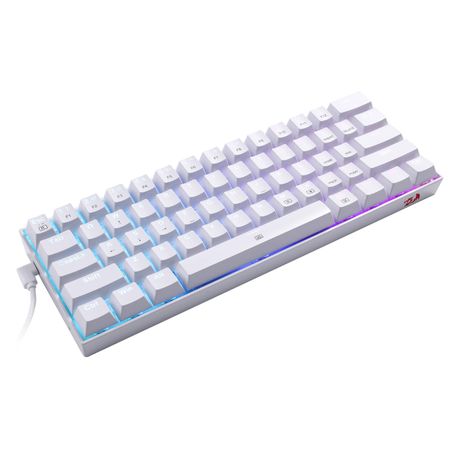
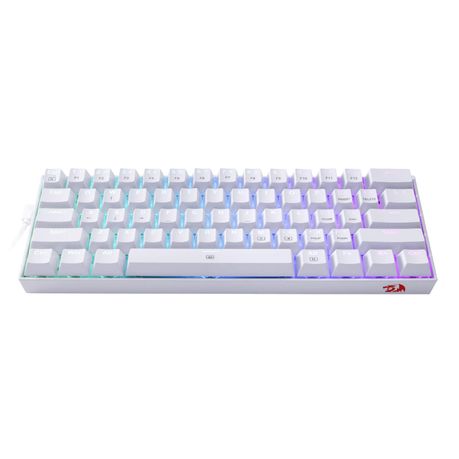
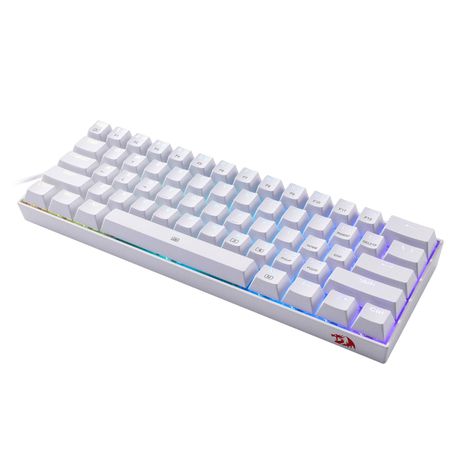
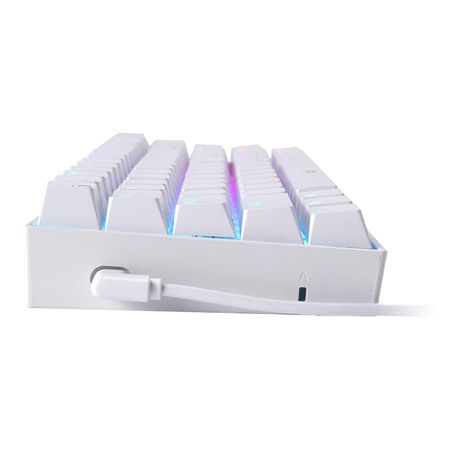


Redragon K62187 Key RGB Wired Mechanical Gaming keyboard
Category: ['26657', '26666']
R 369

14 Feb 2022
yusuf
Okay you're looking for a new keyboard because you've been using a cheap office keyboard for your gaming and thought it's time to upgrade. Let me break down my experience for you of going from a cheap office board to this one. First things first. This keyboard out of the box just looks beautiful. Each row of keys going from the bottom to the top is slightly elevated higher then the previous row. The rubbers at the bottom work a solid job keeping the keyboard from moving at all. If you flip those rubber feet up it is still super sturdy and it's the way I prefer using it. The USB C cable connected to the left side is a huge pro for the way my setup sits. Very clean looking for most setups They include 4 extra switches just in case you manage to kill a couple. Huge pro! The RGB: This keyboards lighting is extremely amazing infact half the selling point. The leds do not in any way expose or show a led lit up in a single colour. It's all diffused well and creates a very smooth blending color shift. In order to change the Rgb you use the keyboard itself. (NOTE: this is different from the k530) you have to press fn and right alt. This cycles the modes. Some modes don't have to be in rgb color shift and pressing fn and space will show a different color on every key of the keyboard with space being the color shift. Clicking a key then sets the keyboard to only that color with its currently selected mode. It has 5 brightness levels (one is off) and 5 speed levels. In order to change specific key Colours I believe you need the software which was ultimately just not working on my pc but since I don't need that feature it doesn't interfere with me. The rgb is super nice but remember if your planning on a color setup remember the keyboard will have to be changed on the keyboard itself. (it might be different with the software, I couldn't get it to work though). The last thing about the rgb lighting is that even at the brightest lighting level I did not find it to be distracting from my screen while immersed in the game which was awesome. Experience: So I'm sure you've watched some reviews and saw that this keyboard has a tactile switch and not a linear switch. Now I may be wrong about this but I believe the difference is that a linear switch feels like a normal keyboard press and it just goes in, nothing fancy. This tactile switch goes in a millimeter or 2, then there's another little bump and then it goes in all the way (that's what she said btw). So with that being said this keyboard for gaming especially with games like Cs go or valorant where you strafe left and right constantly tapping 2 buttons, you do begin to feel aware of that little bump. It's not annoying at all its just different and after a while of using it, it feels natural. The keys themselves are clicky! You will hear it and if you don't have a very good microphone please make use of discord noise surpression. I have a decent mic and thanks to that I wasn't worried about everyone I'm playing with hearing the clicks. It gets annoying when you hear that mid game from someone else's mic. They are not so loud that you will wake someone up in the middle of the night because of it. Unless they're in the same room as you then prepare to get a smack. They're not so loud as to annoy you either, they are loud but to a comfortable extent. I love the clickyness to it though and whenever I need to type something quickly I get excited to hear the clickerinos. 60% usability! So you're having a terrible game. Your KD is sitting at 0.25 and you wanna Alt F4 the hell out of there. YOU CAN'T! Remember this is a 60% keyboard. Your F4 is on the number 4. You have to press Alt + Fn + 4 to do this. This is the the things you're going to have to deal with on this. You're searching for a song or video on YouTube. It pops up the song name. You wanna scroll down and press enter. Nope. You gotta hold in fn with your right hand and use WASD to use the arrow keys. You're typing a messege and make an error. Same thing. Gotta use more buttons or transition to the mouse for the adjustment. Basically all the keys that have a function written in black. You have to press fn to use them. Your caps lock button has a light on the left side of the keyboard so you can't really see it. However I noticed once you get used to the keyboard you can spot that slight orange light glowing in between the board and the left shift key. What I like about this is that it does not interfere with the rgb, it's visible enough, and you don't have to move the keyboard to see if it's on or type to check. This is a pro for me too. Next thing is that I found way more mouse space on my desk for fps gaming. This made me lower my sensitivity since I can move my mouse more and I've become more accurate. The size is super awesome for games that require lots of mouse movements especially if you're a low dpi gamer The keycaps! The keycaps are beautiful. But oh my god! You will literally be wiping it after every 2 days. They're suckers for dirt and being white you see it so damn easily. This is not a major con for me as I prefer to have this keyboard constantly telling me to clean it rather than ignoring the dirt because I can't see it. But it does get a bit tedious that it gets dirty so quickly. But we live in a world where sanitizer is very easily found. Just keep a bottle in your draw and use it before you game. Problem solved! NOTE: So this keyboard says it supports only the OUTEMU switches. I've seen reviews where people said you can use gateron switches and some people who said you can't. So I don't know if this is compatible since the reviews are mixed. But let's say that they aren't. These OUTEMU switches may be difficult to find if you do happen to break your 4 spares and need more. You will have to purchase from Amazon and we all know that shipping has a heavy price tag. So just keep this in mind if you're planning on using different switches or if you have a heavy hand and managed to break switches before. But then again at this price tag, you wouldn't mind buying another keyboard 2 or 3 years down the line Overall I will recommend this keyboard. Amazing color, mechanical, awesome clickerinos, amazing size making room for mouse space in fps games, beautiful to flex on your friends and it comes at a price that won't make you eat unsliced bread for a month. Great buy!
10 Aug 2021
Justin
Bought this for my son. He loves it, keys are mechanical so are built to last and take a hammering. They come with replacement switches which is great and a key puller for easy removal. To get the colours to change you need to look on the red dragon website or YouTube to see how to get the various colour options and patterns. There are over 15 different colour options.
17 Aug 2021
Karabo
Would highly recommend, brown switches are responsive and quite. RGB is amazing. You can download the software for it on the redragon website, this will make it easier to switch the rgb (16.8 million colors).
23 Aug 2021
Carli
Wow! When I opened the box I could not believe how beautiful the keyboard is. The pictures most definitely do not do it justice. Aside from the RGB lighting, I love the different colours on the keys. What's also nice is that the Backspace, Enter and Shift keys have an even softer click to the rest of the keys. The Shift keys' text is central to the keys, so cute. Overall, I love the compactness, the brown switches are great, not too loud, but not too soft, it has a good, solid feeling in weight and the white color is gorgeous. One thing I would want different is the Fn key on the left side along with the navigation arrows. It would make it easier. And Bluetooth functionality would be a nice bonus. But overall, just an amazing, amazing keyboard! Worth every single rand. It's should actually be priced higher :D
04 Jun 2026
Shane
This is not a wireless keyboard.
28 Jun 2022
Dylan Jones
After a month the white light messed up on P & Q. Horrible.
06 Aug 2021
Carlo
i am satisfied with my purchase but there is a bit of ping and you cant have ur keyboard a certain colour, you can only have white and rainbow not purple or green etc. But overall its pretty good.
18 May 2024
Bertrum
I bought mine at a discounted price on daily deals, and it was delivered 2 days later. I watched many youtube reviews, and I must say that this keyboard is much better in real life than described on the reviews. It's a must for any gamer needing a decent mechanical keyboard but is on a budget. If I could give 6 stars, I would've. The RGB is magnificent 👌. It comes with red switches (and spares as well).
11 Jan 2024
junaid
Keyboard is great. Don't have any issues. So far. The key board comes work extra switches which is nice and the tools to remove them. Don't install the software, unless you want to use Marcos. You able to cahnge the color of the RGB when u press fn and space bar, It let's you choose the color( really like this touch).
09 Nov 2023
x
The only thing that makes this board a 4/5 and not a 5/5 is the fact that it is only otemu hot swap but that is fine as the switches are good and otemu/ redragon have a lot of nice switches. *if you get the white one, you can get rid of the red logo using an eraser*
